
The agentic business / Purchasing
Change who signs off. Keep the same records.
Suppose Finance wants a second signature on equipment hire from NZ$5,000 rather than NZ$10,000. Change the purchase approval rule, not the supplier in accounting or the customer project in your CRM.
Browser-local example · Synthetic records
Try a lower sign-off threshold
Every request goes to the Project Manager. At NZ$10,000 or more, it also goes to the Finance Controller. The Procurement Lead proposes lowering that threshold to NZ$5,000.
The Finance Controller reviews the change. If they apply it, the next NZ$7,500 request needs both signatures. That changes the route; it does not approve the purchase.
Sample request · Equipment hire
Accounting supplier SUP-014 · CRM project PRJ-032
NZ$7,500 under the current rule: Project Manager only.
No proposal yet. The NZ$10,000 threshold is in effect.
This example runs in this tab. It is not a Fuze approval or a customer deployment. No records are sent, moved or updated.
In production / Solar reporting
They kept the sign-off. They changed the work before it.
Technicians at a commercial solar operator used to retype their field notes. Someone then had to collect portal screenshots and lay everything out for the client. Today a Fuze workflow fills the client’s existing report template from site forms, readings and photos. A person still reviews each report before it goes out.
The team reports on 29 sites and spends 90% less time on reporting. Read the published case. Those results are for reporting, not the purchasing example above.
What can your team change in Fuze?
Workflow configuration. With the right permissions, your team can edit a draft workflow and name the people who must sign off on a request. Saving a draft is separate from deploying it; deployment through Fuze MCP requires approval. See how Fuze handles permissions and approvals.
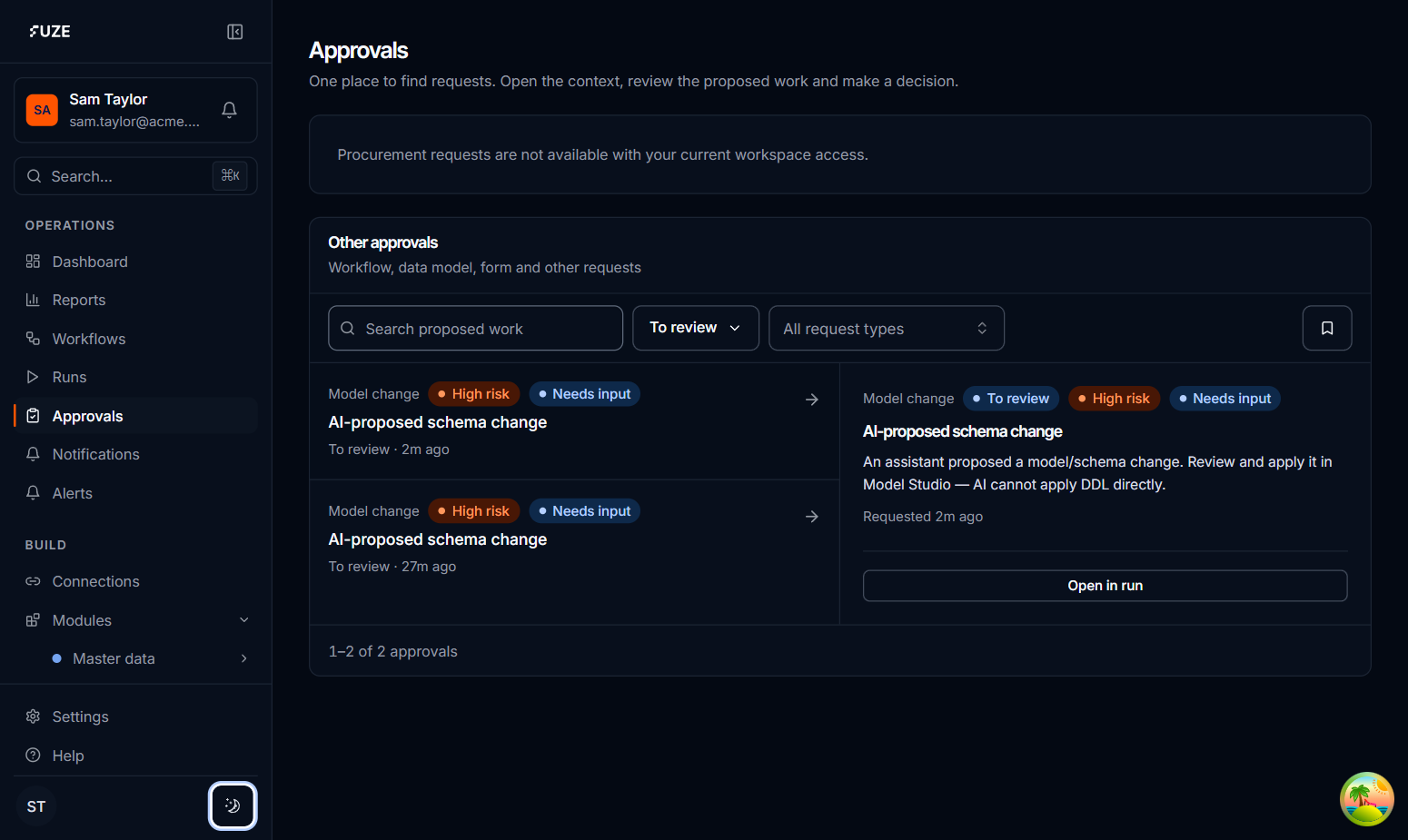
App Owners. The supplier contracts guide documents a different change: an App Owner enables Data Studio commands and consents at sign-in. A user can then ask AI for a table proposal within those permissions. An authorised person reviews and applies it; a read-only connection cannot submit it.
See a real proposal in the Fuze demo workspace
Connecting other systems. Before rolling out a rule like this, agree which accounting supplier ID and CRM project ID to use, who can read them and whether either system needs a write-back. Scope those connections and any implementation help with Fuze.
What will the next change cost? Ask for two separate answers: which edits your own team can make under its agreement, and a quote for work it cannot do itself. A threshold edit is a different job from building and maintaining a two-way accounting integration. Confirm who tests the change and who supports it after launch.
Discuss your purchase approval rule