
Your team makes the decisions.
Fuze does the grind.
AI workflow automations that behave in a predictable way. Make your business processes consistent and repeatable from 1 to 1,000,000+ customers.
How Oceania’s largest solar vendor
cut reporting from days to minutes.
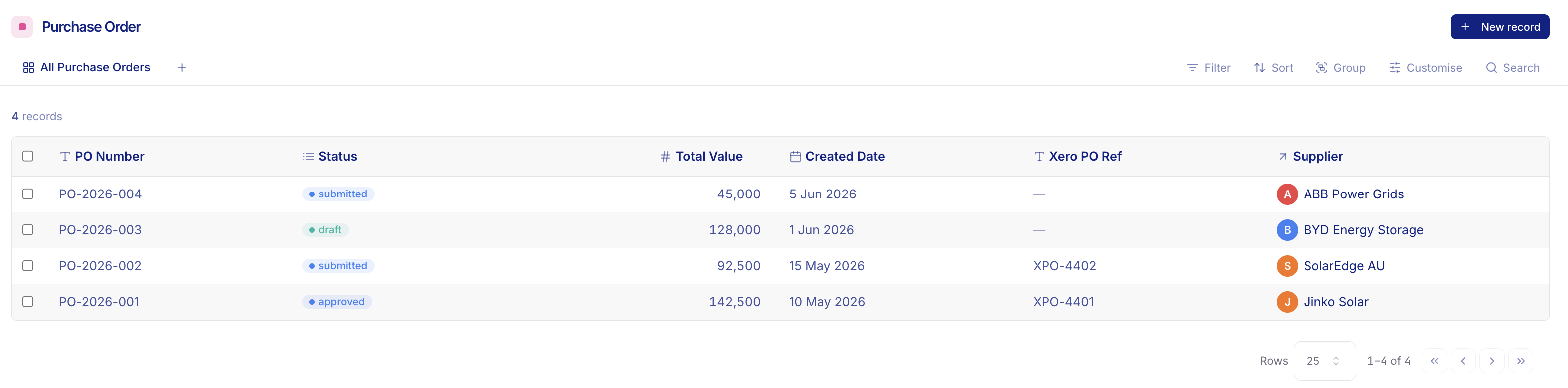
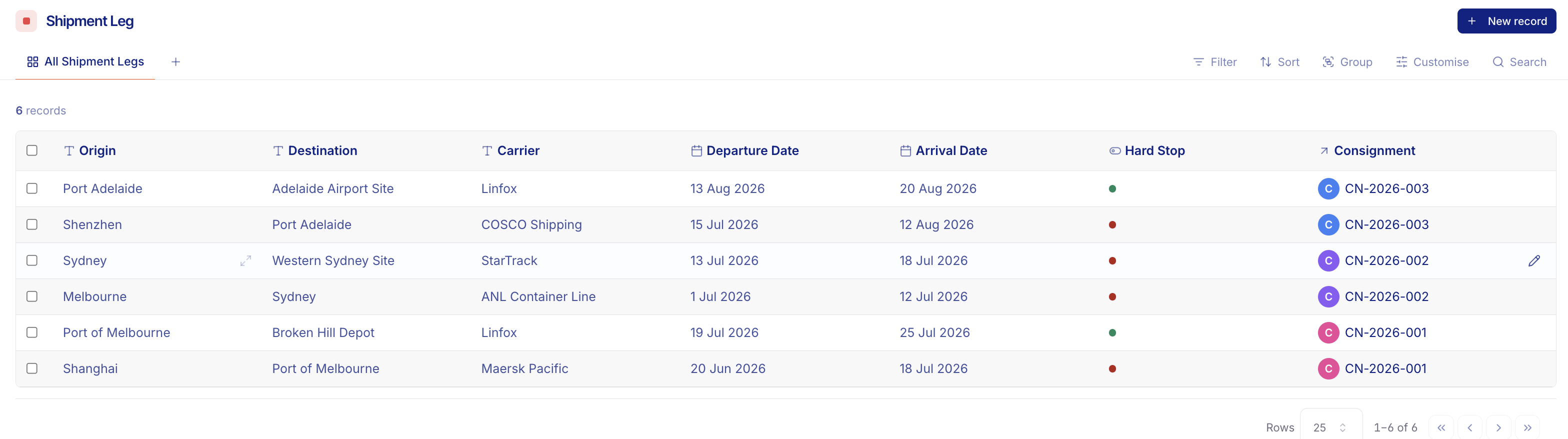
A commercial solar vendor manages 29 PPA sites. After every site visit, technicians manually typed up inspection data, navigated vendor portals for performance screenshots, pulled from tester spreadsheets, and formatted each report. Reporting took 1–4 days per site.
What used to take technicians days of admin now runs in the background. New sites re-use existing workflows with minimal configuration.
Read the full case studyWhat teams run on Fuze.
Beyond the chatbot.
Fuze is an operations engine with AI agents you delegate tasks to like team members. But even the best workers need a great system to succeed, so we wrap them in a secure layer that talks to the apps already running your business and weaves into your processes from start to finish.
Give individual employees superpowers
Tools like Claude or ChatGPT help your people write faster, research quicker, and draft emails in seconds. Powerful, but one person at a time.
Gives your entire business superpowers
Fuze works directly in your routine workflows, automating the “last mile” of your operations. We do the tedious work right up to the finish line.
Real work,
automated end‑to‑end.
Repetitive, time-consuming, and document-heavy tasks keep your organisation running, but your people are too skilled and expensive to be doing the same work on repeat.
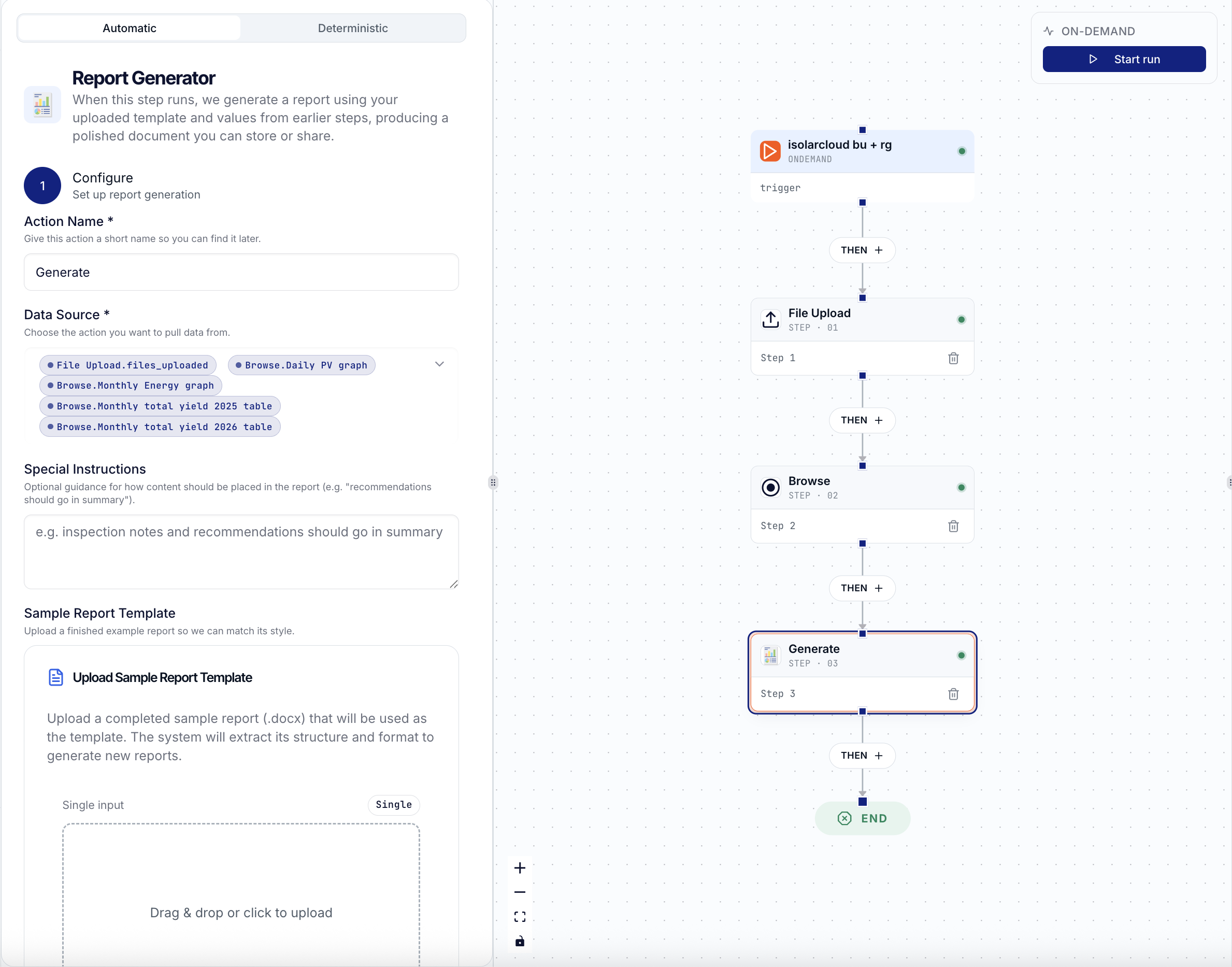
Fuze building blocks can be linked into workflows, carrying out each task in your process step-by-step. Fully automate with defined rules, or include our built-in safety switch to review and click “Approve” at any step.
Fuze does what you want it to do, exactly how you would do it, without going off script.
Hand off online tasks.
Stop manually logging in, clicking through tabs, and copying data. Just give instructions like how you would message a teammate.
“Go to the council portal, and get a screenshot of the graph for site B in the weekly power-usage tab.”
Fuze opens a secure browser session, navigates to the target page, performs the actions, and brings the data back into your workflow.
Built-in login security. Portal needs a security check? Fuze pauses and sends a login link to a team member. You authenticate, the agent continues. We never store your passwords or credentials.
Your forms,
frustration-free.
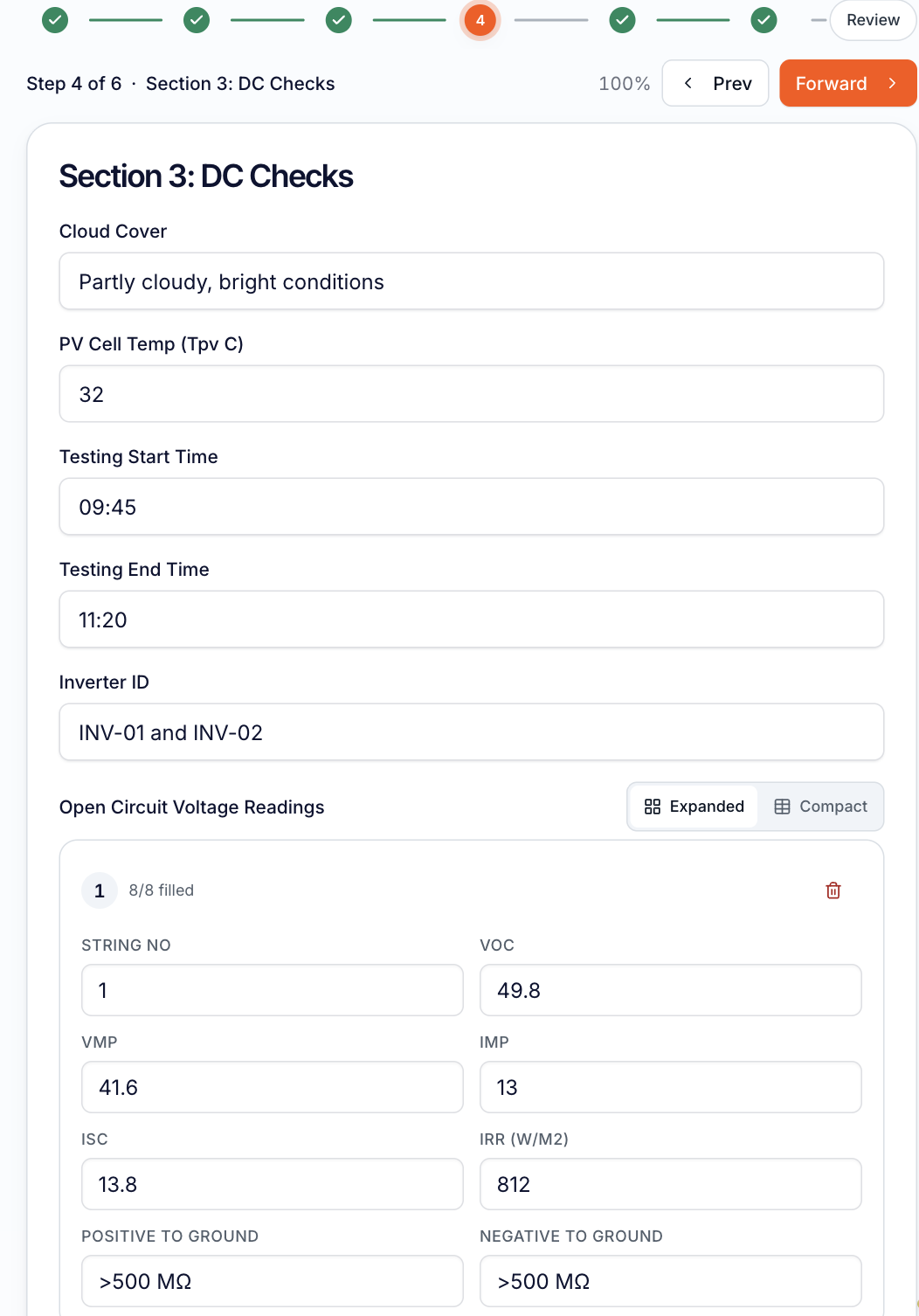
Fuze digitises your paper and PDF forms into reusable templates. Add any photos and files that contain the information you need. No more typing values off a clipboard or copying cells between spreadsheets.
- Read straight from photos. Snap a meter, gauge, or handwritten sheet and Fuze AI vision extracts the values.
- Pull specific cells. Map fields to exact values from an uploaded spreadsheet.
- Submissions link to any workflow. A submitted form can trigger the next step automatically.
Templates in.
Client-ready reports out.
Hand Fuze your existing PDFs, Word documents, or spreadsheets and point it at your data sources. Fuze gathers the information, structures the inputs, and populates the template, exporting a perfectly formatted document for final review.
- Multi-source consolidation. Pull from portals, websites, field forms, and databases.
- Zero manual alignment. Tables, headers, and images are formatted identically every single time.
Portal admin,
without the repetition.
Keep your files organised without dragging, dropping, or renaming. Connect your SharePoint, Google Drive, or document library once, then browse folders, preview files inline, and select documents directly inside your workflow steps.
- Connected steps. Files flow into later steps automatically.
- Automatic filing. Finished reports save straight to the correct client folder.
- Smart naming. Documents are named to your precise business conventions.
Watch every run live. Step in when it matters.
Run Viewer gives you complete visibility over your automated operations. See the progress, outputs, and timing of every step, in real time.
- Safety switches. The run pauses and clearly highlights “Action required” before proceeding.
- Human oversight. Review and click “Approve” in 30 seconds, and the workflow carries on.
- Audit trails. Every action, input, and output is logged with timestamped accountability.
Predictable by design.
We replace manual work and unpredictable chat windows with strict operational workflows, so you get reliable results from the 1st run to the 1,000,000th.
Built-in safety switches
Keep a human in the loop before anything goes live.
Never worry about AI sending a weird email or editing the wrong spreadsheet. Add approval to any step. Fuze AI does 95% of the heavy lifting in the background, then pauses for your green light before taking action.
Locked-down permissions
Control exactly what the AI can see and do.
You wouldn’t let a new hire email your business partners, and you shouldn’t let AI either. Set strict boundaries on which files, tools, and apps each workflow can access. Sensitive data stays private; Fuze AI only sees what the job needs.
Agentproof guardrails
AI that actually follows your rules.
Define the exact guidelines, logic, and tone your business requires. Fuze AI works strictly within those boundaries, delivering reliable and consistent results.

Automated
operations
directed by you
Fuze gets the boring but critical work over the line.